
Search News
Industry Portal
Popular Tags
Industrial PC Thermal Management: What Actually Works
Author
Dr. Isaac Logic
Time
Apr 28, 2026
Pageviews
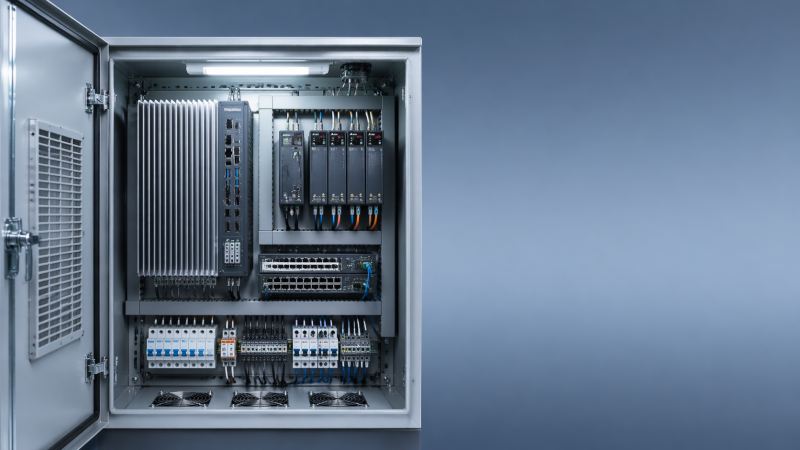
In modern factories, industrial pc thermal management is no longer a minor design issue but a core factor in uptime, reliability, and ROI. As automation teams also track cybersecurity for industrial control, plc cycle time benchmarks, and even the impact of chip shortage on automation, choosing cooling strategies that truly work has become a practical priority for engineers, buyers, and decision-makers alike.
For production directors, system integrators, operators, and sourcing teams, the question is not whether heat matters, but how to control it under real plant conditions. Industrial PCs now run HMI workloads, edge analytics, machine vision, SCADA connectivity, MES data exchange, and gateway functions inside cabinets, control rooms, and harsh shop-floor environments. Each of those use cases raises thermal load, and each failure can trigger downtime measured in minutes, shifts, or missed batches.
At G-IFA, thermal performance is best viewed as part of a broader automation reliability framework. A cooling strategy must align with enclosure design, dust exposure, ambient temperature, compute density, maintenance capability, and lifecycle cost. This article explains what actually works in industrial pc thermal management, where common mistakes happen, and how buyers can make more reliable technical and procurement decisions.
Why Thermal Management Has Become a Factory-Level Reliability Issue
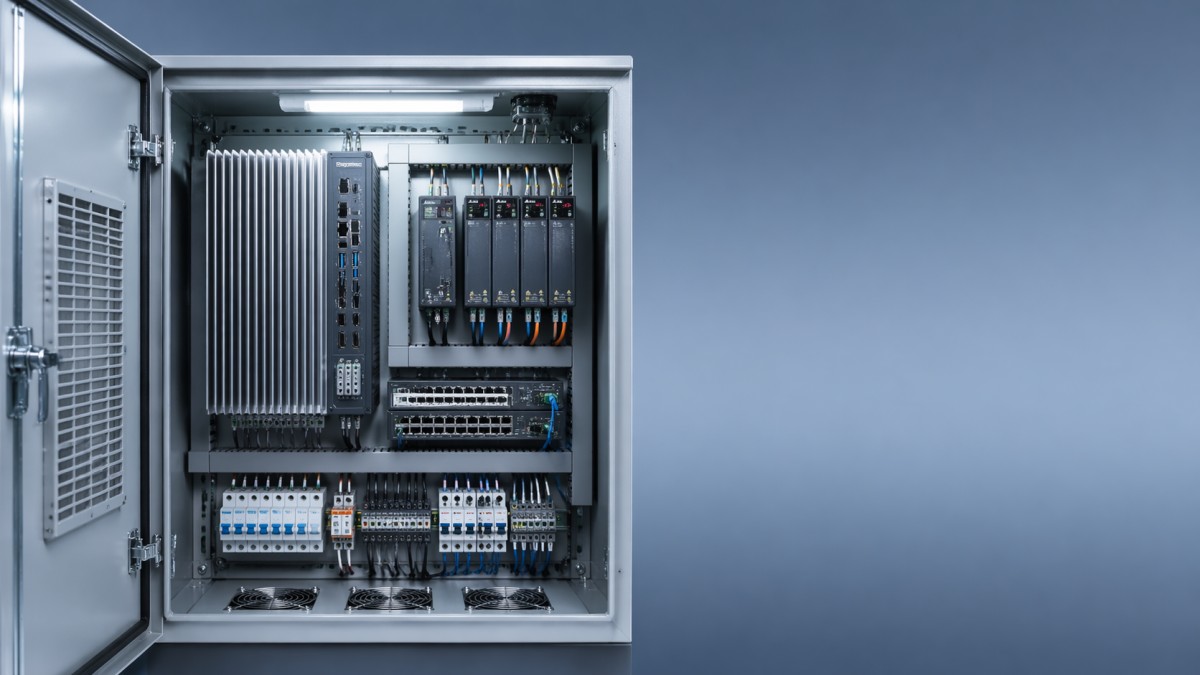
Industrial PCs are no longer simple operator terminals with modest processing demand. In many factories, one unit may handle PLC data collection, protocol conversion, local historian functions, alarm visualization, and AI-assisted inspection at the edge. That means thermal output often rises from basic office-grade levels to sustained loads that can stress CPUs, SSDs, power supplies, and communication modules over 24/7 duty cycles.
A practical risk threshold starts when ambient temperature stays above 35°C for long periods, especially inside sealed cabinets where internal heat can run 8°C to 15°C above room conditions. In metal enclosures exposed to direct sunlight or adjacent to drives and power supplies, local hot spots can push components beyond their preferred operating range even if the general room climate appears acceptable.
Heat does not only cause sudden shutdowns. More often, it creates a chain of smaller failures: CPU throttling, unstable I/O communication, SSD wear acceleration, touchscreen lag, and shorter fan life. In high-mix manufacturing, these issues can be misread as software faults or network instability, delaying the real fix and increasing mean time to repair.
For procurement teams, the thermal question matters because replacement cost is only part of the equation. A low-cost IPC that runs hot may require cabinet retrofits, more frequent cleaning, quarterly fan changes, or unplanned maintenance labor. Across a 3-year to 5-year service window, thermal design often has a larger cost impact than the purchase price gap between two hardware options.
What makes factory heat different from office heat
Industrial environments combine several stress factors at once. Ambient temperature may fluctuate by 10°C to 20°C over a shift. Airborne oil mist and conductive dust can block airflow paths. Vibration may loosen fan assemblies. Cabinets can trap heat from VFDs, relays, UPS units, and network switches. This is why office PC cooling assumptions rarely transfer well into industrial automation.
Typical warning signs
- Internal cabinet temperature remains above 45°C during peak production hours.
- CPU utilization exceeds 70% for long periods while fan speed is already near maximum.
- Dust filters require cleaning more often than once every 30 days.
- IPC faults increase during summer shifts, after enclosure doors are closed, or when nearby drives ramp up.
Cooling Methods That Actually Work in Industrial PC Applications
There is no universal best cooling method. What works depends on compute load, contamination risk, enclosure architecture, and maintenance capacity. In broad terms, industrial pc thermal management usually falls into four practical approaches: passive fanless cooling, filtered forced-air cooling, cabinet-level heat exchange, and dedicated enclosure air conditioning.
Fanless systems work well when thermal load is moderate and ambient conditions are controlled. A well-designed aluminum chassis can dissipate heat effectively for low-power processors, thin clients, protocol gateways, and many HMI duties. In dust-heavy or washdown-adjacent zones, fanless designs often outperform fan-based units because they remove a key failure point and reduce contaminant ingress.
Forced-air cooling remains common in higher-performance IPCs, especially when CPUs, GPUs, or multiple I/O cards generate more heat than a passive chassis can handle. However, it only works reliably when airflow path, filter quality, fan replacement planning, and enclosure spacing are engineered together. Simply adding a fan to a hot cabinet often moves warm air around without solving the root thermal imbalance.
For enclosed control cabinets, air-to-air heat exchangers and enclosure air conditioners become more effective when internal heat exceeds roughly 250W to 500W, or when surrounding air is too dirty to pull directly across electronics. These systems isolate the enclosure interior, helping maintain electronics reliability while avoiding the contamination risks of open ventilation.
Comparison of common industrial cooling approaches
The table below shows where each approach tends to work best and where buyers should be cautious. The goal is not to pick the most advanced option, but the most suitable one for the actual thermal and maintenance profile of the site.
The main takeaway is simple: passive cooling works when load and temperature are disciplined; active cooling works when airflow and maintenance are disciplined; cabinet cooling works when enclosure heat is calculated rather than guessed. Most thermal failures happen not because a technology is wrong in theory, but because it is mismatched to real operating conditions.
A practical selection sequence
- Measure actual ambient and cabinet temperatures for at least 3 production cycles.
- Estimate total internal heat from IPC, drives, switchgear, and power devices in watts.
- Review dust, oil mist, humidity, and washdown exposure.
- Match the cooling method to both thermal load and maintenance capability.
- Validate derating if the site regularly exceeds 40°C ambient.
Design Rules That Prevent Heat Problems Before They Start
Good industrial pc thermal management begins before hardware is installed. In many projects, the biggest thermal mistake is treating the IPC as a standalone device rather than part of a heat ecosystem. Cabinet layout, cable routing, vent placement, neighboring devices, and service access all change the actual cooling result. A strong device can still fail in a poor cabinet design.
Spacing matters more than many teams expect. Leaving only 20 mm to 30 mm around vents or heat sinks can sharply reduce heat dissipation, especially in shallow cabinets. High-loss components such as drives and power supplies should not sit directly below an IPC if natural convection is part of the cooling path. Even moving an IPC 150 mm away from a hot neighboring device can improve local air temperature noticeably.
Mounting orientation also affects performance. Some fanless units are rated assuming vertical fin orientation, allowing heat to rise through the heat sink. If the unit is mounted horizontally or inside a cramped side compartment, thermal dissipation may fall below the published rating. Buyers should verify installation orientation in the hardware documentation rather than assume all mounting styles perform equally.
Sensor-based monitoring is another underused measure. Temperature alarms set at two levels, such as 45°C warning and 55°C critical inside a cabinet, can prevent gradual degradation from becoming downtime. For critical lines, adding temperature logging to SCADA or edge monitoring allows maintenance teams to correlate thermal drift with fan clogging, seasonal peaks, or compute load changes.
Key design checkpoints for system integrators and plant engineers
The following checklist helps reduce thermal risk during specification, integration, and commissioning. It is especially relevant when an IPC will support vision inspection, edge computing, or plant-wide data exchange in addition to operator interface tasks.
These numbers are not universal limits, but they provide a disciplined starting point. Thermal stability improves when layout, monitoring, and maintenance rules are defined during design review rather than after repeated overheating alarms.
Common design mistakes
- Placing the IPC above a VFD or power supply that radiates continuous heat upward.
- Choosing a fanless box PC for a high-load vision application without verifying sustained thermal headroom.
- Using sealed cabinets in summer environments without calculating the combined heat load.
- Ignoring serviceability, so filters and fans are difficult to inspect within normal maintenance windows.
How Buyers Should Evaluate Thermal Performance Before Purchase
From a sourcing perspective, thermal management should be treated as a purchasing criterion, not a post-installation detail. Buyers often compare CPU generation, memory, ports, and price, but skip thermal architecture and derating behavior. That creates risk when the selected IPC is deployed in hotter, dirtier, or more enclosed environments than the sales specification assumed.
A more useful procurement approach is to ask how the system behaves under sustained load. Can it run at 60% to 80% CPU for 8 hours without throttling? Is the temperature rating valid for the exact storage, operating, and mounting conditions? Are there service kits for filters and fans? Is the SSD rated for industrial temperature ranges, or is it a weak link when enclosure heat rises?
This is especially important in multi-site manufacturing groups. A unit that performs well in a climate-controlled electronics line may fail early in a foundry-adjacent area or packaging hall with airborne fibers. Standardizing on one IPC platform can simplify support, but only if the platform’s thermal margin covers the harshest likely deployment profile.
Decision-makers should also assess thermal cost over lifecycle. A lower upfront price may be outweighed by 2 additional service visits per year, more spare fans, and shorter replacement intervals. In operations where one hour of line stoppage costs far more than the IPC itself, thermal resilience becomes a risk-management decision rather than a component choice.
Buyer checklist for thermal due diligence
The table below can be used during RFQ comparison, FAT review, or supplier qualification. It helps connect thermal design to maintainability and uptime instead of treating cooling as a background specification.
A disciplined buying process should combine technical review, environmental review, and maintenance review. When those three areas align, thermal performance becomes measurable and manageable rather than dependent on trial and error after startup.
Four purchasing questions that prevent expensive mistakes
- What is the real ambient and enclosure temperature range across seasons and shift patterns?
- Will the IPC run basic HMI tasks or high-load workloads such as vision, analytics, and database caching?
- Can local maintenance teams support cleaning and replacement every 30, 60, or 90 days if required?
- What is the cost of one hour of downtime compared with the cost of better cooling design upfront?
Implementation, Maintenance, and Frequently Asked Questions
Even the right thermal design can fail without disciplined implementation. During installation, teams should verify airflow direction, clearance, cabinet sealing, and alarm thresholds before the line goes into continuous production. A short thermal validation test of 2 to 4 hours under representative load is often enough to reveal hidden hot spots that will otherwise appear only after commissioning pressure is high.
Maintenance routines should match environmental severity, not generic calendar intervals. In a relatively clean pharmaceutical or electronics area, quarterly filter inspection may be acceptable. In packaging, woodworking, metalworking, or food-related environments with fibers, dust, or aerosols, monthly checks may be more realistic. The maintenance plan should include cleaning method, replacement criteria, alarm response, and spare part stocking rules.
Factories moving toward Industry 4.0 should also treat thermal data as an operational signal. When IPC temperature trends are trended alongside CPU load, cabinet door open events, and seasonal climate changes, teams can plan interventions before instability affects PLC communication, edge applications, or machine visualization. This aligns well with G-IFA’s broader focus on verifiable engineering decisions across hardware and software layers.
In practical terms, industrial pc thermal management works best when it is integrated into design review, procurement, commissioning, and predictive maintenance. It is not one component, one fan, or one enclosure choice that solves the issue. It is the discipline of matching thermal architecture to real process conditions over the full equipment lifecycle.
FAQ: How do I know if a fanless industrial PC is enough?
A fanless IPC is often enough for HMI, gateway, protocol conversion, and moderate edge tasks if ambient conditions stay within the rated range and the processor has adequate thermal headroom. It becomes less suitable when workloads are sustained, enclosure temperature exceeds 40°C to 45°C, or additional cards and storage drive the heat load upward.
FAQ: What enclosure temperature should trigger action?
A practical review threshold is around 40°C for continuous operation, with a stronger corrective response above 45°C. The exact value depends on the IPC rating, SSD specification, and adjacent devices. The key is to define warning and critical levels before faults occur, then connect those alarms to maintenance action.
FAQ: Is cabinet air conditioning always better than filters and fans?
No. Enclosure air conditioning is justified when ambient heat is high, contamination is severe, or internal cabinet load is too large for passive or filtered airflow methods. In lower-load applications, it may add unnecessary energy use and service complexity. The correct choice depends on heat load, environment, and total lifecycle cost.
Recommended maintenance rhythm
- Inspect filters every 30 to 90 days depending on contamination level.
- Review temperature trend alarms at least once per month on critical lines.
- Verify fan noise, speed, or failure indications during scheduled downtime windows.
- Reassess thermal load after software upgrades, added I/O modules, or edge application expansion.
Industrial pc thermal management is one of the most practical ways to protect uptime, extend hardware life, and reduce automation risk. The most effective solutions are not always the most complex; they are the ones matched to ambient conditions, cabinet design, workload, and maintenance reality. If you are evaluating IPC platforms, enclosure strategies, or broader automation reliability benchmarks, G-IFA can help you compare options with greater technical clarity. Contact us to discuss your operating environment, request a tailored evaluation framework, or explore more smart manufacturing solutions.
Recommended News
- 2026/10/24Car Spare Parts: How to Check Fitment and Avoid Ordering the Wrong PartOrder car spare parts with confidence. Learn how to verify VINs, OEM numbers, and fitment details to avoid costly mistakes and choose the right replacement first time.
- 2026/10/23How Do You Select a Motion Control System for Synchronized Axes?How do I select a motion control system for synchronized axes? Discover key timing, feedback, and performance checks to choose confidently and reduce costly integration risks.
- 2026/10/23Integrating End-of-Line Sortation with Packing Stations and Conveyor ControlsOptimize end of line sortation with coordinated packing stations and conveyor controls. Learn how to prevent bottlenecks, improve routing accuracy, and handle exceptions reliably.